Download
 Facebook
 Twitter
 Google+
pass
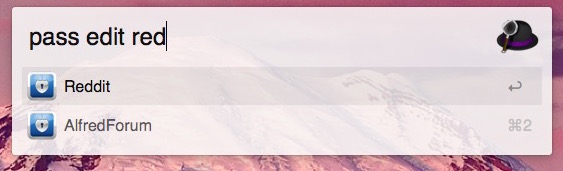
pass provides a thin wrapper around the pass password management tool for use with Alfred (2 or 3). Its intent is to make copying passwords while browsing the web quick and easy. It also supports the other functionality of pass, including password editing, generation, viewing, and git commands, all accomplished by passing through commands to the terminal. Will use iTerm (beta 3) by default. If you don't have this terminal, see below for how to use Terminal.app
Terminal.app
The workflow now supports Terminal.app as
well. To use this, open the workflow in
Alfred. In each
Run Script bubble, change the
word
execute_iterm3beta.scpt to
execute_terminal.scpt. Now
the workflow will use Terminal.app.
Keywords:
pass
This is the only keyword provided. However, the script called in the script filter handles some other keywords to provide autocomplete, including:
pass git
pass add
pass rm
All the commands for pass are supported, and will be passed through to the terminal.
The default use case is as follows:
pass
This will search for a password of pass-name, autocompleting the results, then copy the result when it is selected.
Requirements:
Must have pass, and its requirement, gpg.
Also should already have a key, and have
set up the .password-store directory. This
is easiest with
brew install pass, then
follow the
instructions in man pass
Screenshots: